
Transitioning Your Smart Thermostat from Summer Cooling to Fall Heating
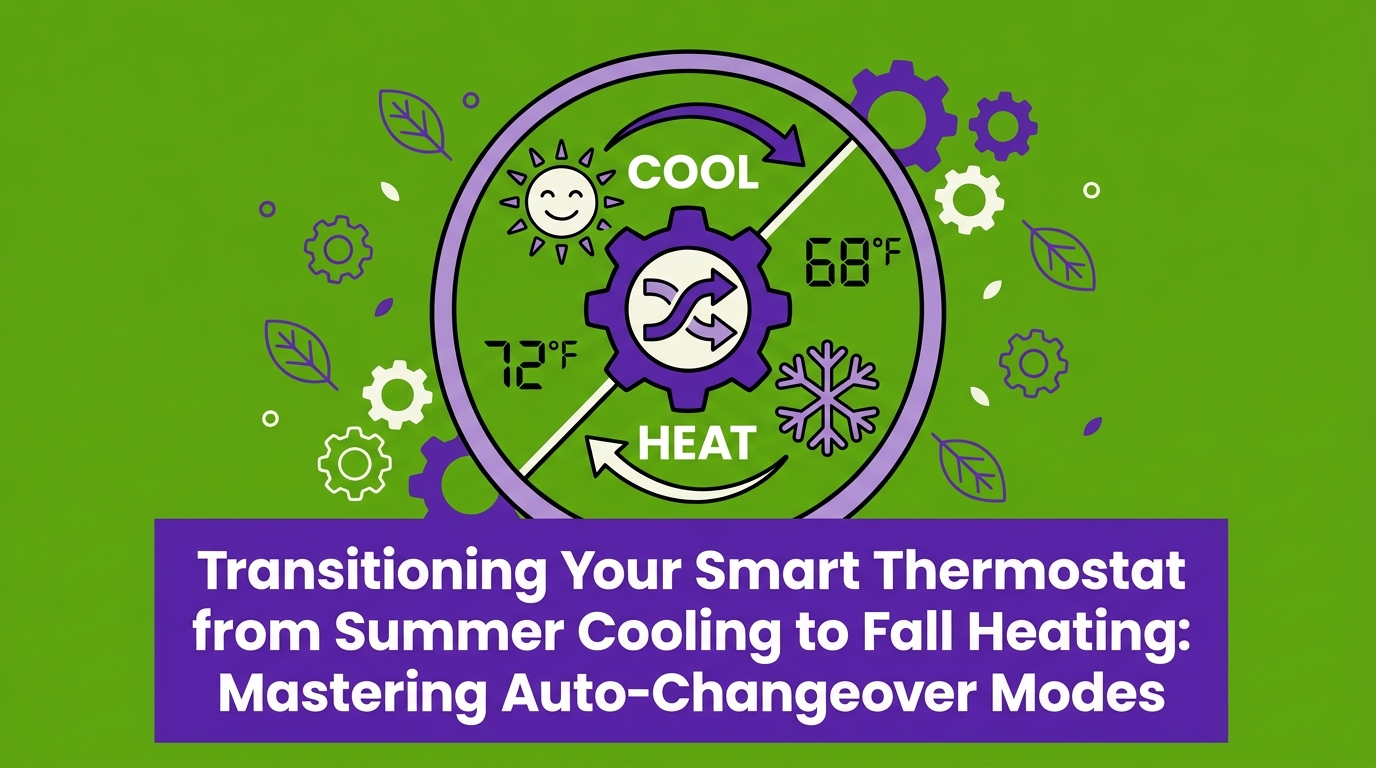
The Early Fall Temperature Tug-of-War in Your Home
Before the first true chill sets in, transitioning your smart thermostat from summer cooling to fall heating is a necessary step to keep your home comfortable without wasting energy. Late summer and early fall bring unpredictable weather patterns, leaving many homeowners frustrated as their climate control systems struggle to keep up with rapid daily changes.
If you are looking to prepare your entire system for the changing seasons, explore our heating services or secure your seasonal tune-up with an HVAC maintenance plan.
The daily temperature swing: In early fall, you often face a frustrating seasonal reality. The afternoons remain warm enough to make the indoors uncomfortable, requiring a burst of air conditioning. However, as the sun goes down, the temperature drops rapidly, leaving your living spaces chilly enough to trigger the furnace. If your smart thermostat is left on its default settings, it will aggressively switch back and forth between these two modes.
This creates a daily tug-of-war inside your home. The cooling system runs at 3:00 PM to combat the afternoon heat, and by 9:00 PM, the heating system fires up to counteract the evening chill. Our technicians see this overlap constantly in our day-to-day service calls throughout Mountain View CA, where early fall weather brings massive daily temperature shifts. The marine layer regularly pushes in, causing rapid evening cool-downs after hot, sunny afternoons.
To prevent this continuous battle between your air conditioner and your furnace, you need to adjust your thermostat schedules and internal temperature buffers. Taking control of these settings now ensures you have comprehensive heating ready for the true winter months, while keeping your equipment running efficiently during this transition period.
Why Default Smart Thermostat Algorithms Fail in September
Most modern smart thermostats come equipped with an "auto-changeover" feature. This mode is designed to automatically switch between heating and cooling to keep your home within a strict, pre-defined temperature range. While this sounds incredibly convenient on paper, the factory defaults rarely align with real-world weather patterns during the seasonal shift.
The flaw in factory settings: Out of the box, smart thermostats rely on generic national weather assumptions. They are programmed to assume a gradual, predictable shift in seasons. Manufacturers often set the default temperature buffer—the gap between when the AC turns off and the furnace turns on—to just one or two degrees. This narrow window forces the AC and furnace to run in the exact same 24-hour period during September fluctuating weather.
After years of installing and servicing systems across Silicon Valley, our team at Plum HVAC has seen firsthand exactly why these generic algorithms fail locally. The 20 to 30-degree diurnal temperature variations typical of the Bay Area easily confuse a thermostat that expects a slow, steady seasonal change. We always advise our customers to override these generic factory defaults with settings tailored to our specific regional climate.
The Problem with Narrow Temperature Parameters
When your thermostat operates on a 1-to-2 degree variance, it triggers unnecessary system activation. Here is what happens behind the scenes:
• Overlapping commands: If your target is 70 degrees, the AC might cool the house to 70, but the natural evening chill quickly drops the indoor temperature to 68. The furnace immediately fires up to push it back to 70.
• Thermal delay: There is always a delay between your system shutting down and the home's ambient temperature settling. The air in the ductwork continues to flow, and the walls hold onto heat or cold, pushing the indoor temperature past the target and triggering the opposite system.
• False readings: Sunlight hitting the thermostat faceplate in the late afternoon can register as a hot room, triggering the AC just hours before the house naturally cools down.
• Factory Default — Typical Temperature Buffer: 1 to 2 degrees — System Behavior in Early Fall: Constant switching; AC and furnace run daily.
• Microclimate Optimized — Typical Temperature Buffer: 5+ degrees — System Behavior in Early Fall: Stable operation; allows natural cooling/heating.
Understanding the Thermostat Deadband
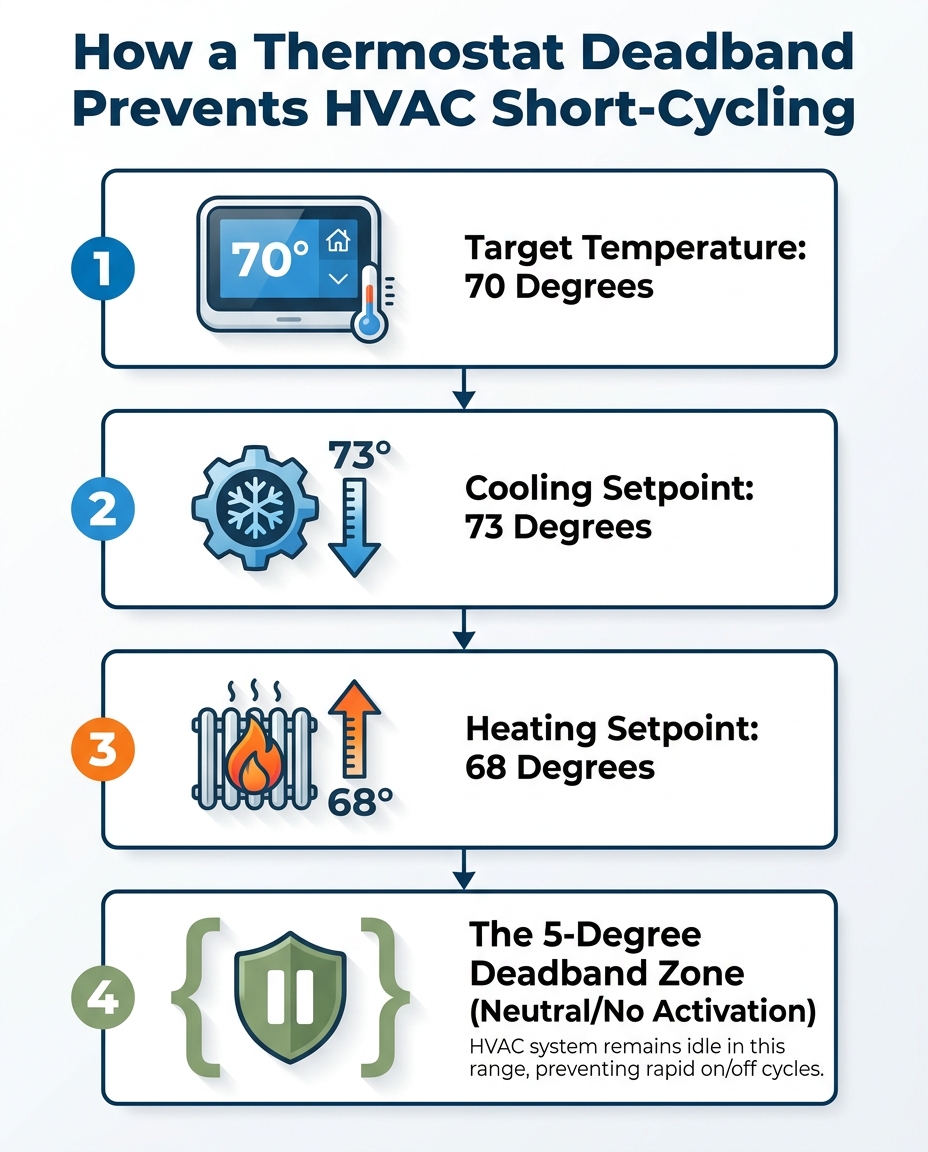
The primary solution to this seasonal tug-of-war is adjusting a setting known as the "deadband." In simple terms, a deadband is the temperature buffer or neutral zone where neither the heating nor the cooling equipment is allowed to activate. It acts as a strict boundary line that prevents your systems from overlapping.
Creating a neutral zone: If you set your cooling to 74 degrees and your heating to 68 degrees, the space between 69 and 73 degrees is your deadband. While the indoor temperature floats within this range, the thermostat simply monitors the air without turning any equipment on. Widening this deadband is your primary defense against daily HVAC short-cycling during the fall transition.
Energy experts, including guidelines from the U.S. Department of Energy (DOE) and ENERGY STAR, strongly support wider temperature buffers for overall home efficiency. A wider neutral zone allows your home to naturally absorb heat during the day and naturally cool off at night without relying on mechanical intervention. For optimal performance in our area, experts recommend establishing a minimum 5-degree auto-changeover deadband.
Accessing and configuring these advanced settings requires a bit of menu navigation. Proper smart thermostat installation and programming ensures that these efficiency features are unlocked and configured correctly for your home's unique layout.

The Hidden Costs of HVAC Short-Cycling
Allowing your heating and cooling systems to compete does more than just create a confusing indoor climate; it actively damages your equipment over time. When a thermostat has a narrow deadband, it causes a specific type of mechanical stress known as "short-cycling."
What is short-cycling? In the context of auto-changeover modes, short-cycling occurs when the system rapidly switches modes before completing a full, efficient cycle. The AC might run for just ten minutes to drop the temperature one degree, shut off, and then the furnace kicks on twenty minutes later to raise it back up. Neither system runs long enough to reach peak operating efficiency.
This rapid on-and-off operation places unnecessary mechanical stress on your blower motors, capacitors, and compressors. The most intense wear and tear on any climate control system happens during the startup phase. By forcing the equipment to start and stop multiple times a day, you are accelerating the degradation of moving parts.
Beyond the mechanical wear, the energy waste is significant. You are paying to mechanically condition a space, only to pay again to reverse the process hours later. Energy experts suggest that homeowners can save up to 10% on energy usage simply by optimizing setback schedules. However, that entire 10% savings is completely negated if the system is allowed to fight itself. When our Plum HVAC crews perform pre-heating season tune-ups in homes across Mountain View CA, we often point out that preventing this overlap is one of the easiest ways to manage early fall utility costs.
Steps to Widen Your Auto-Changeover Deadband
Taking control of your auto-changeover settings is a straightforward process you can complete from your smartphone or directly on the wall unit. Establishing a proper buffer stops the daily tug-of-war immediately.
Follow these steps to configure a 5-degree auto-changeover deadband on most modern smart thermostats:
1. Access the main menu: Open your smart thermostat's mobile app or tap the screen on your wall unit to access the main settings gear.
2. Navigate to advanced settings: Look for the menu labeled 'Auto-Changeover', 'Advanced Settings', 'System Preferences', or 'Installation Settings'.
3. Locate the buffer configuration: Find the specific setting labeled 'Deadband', 'Temperature Buffer', 'Minimum Delta', or 'Auto-Mode Overlap'.
4. Adjust the parameters: Change the setting to establish a minimum 5-degree gap between your heating and cooling setpoints (e.g., Heat at 68°F, Cool at 73°F).
5. Save and monitor: Save the new configuration. Monitor your system's behavior for a full 24-hour period to ensure the daily tug-of-war has completely stopped.
Pro Tip: If your app does not allow you to set a specific deadband number, you can manually create one by setting your cooling schedule 5 degrees higher than your heating schedule during the "Auto" mode configuration.
Adapting Different Heating Equipment for the Transition
Not all home comfort systems react to deadband adjustments in the exact same way. Based on the wide variety of equipment our installers work with every week, we know that how you manage the transition depends heavily on the specific type of system heating and cooling your home.
One universal strategy during September fluctuating weather is utilizing your thermostat's continuous fan setting. By switching the fan from "Auto" to "On" or "Circulate," the blower motor gently moves air throughout the house. This helps balance temperatures between sunny upstairs rooms and cool downstairs basements without triggering the energy-intensive heating or cooling elements.
If your home utilizes heat pump systems, deadband optimization is highly beneficial. Because a heat pump handles both heating and cooling internally using the same compressor, rapid switching between modes forces the reversing valve to engage constantly. A wider deadband protects this critical component from premature wear.
For homes with traditional furnace heating paired with a separate central AC unit, the smart thermostat acts as the brain for two entirely different pieces of machinery. A proper deadband ensures that the furnace heat exchanger has time to completely cool down before the AC evaporator coil is called upon to chill the same airstream.
Managing Auxiliary Heat Triggers
When transitioning schedules, you must also be mindful of auxiliary heat. This is a backup heating element used primarily in heat pump setups when the primary system cannot warm the house fast enough.
• Aggressive recoveries: If you program your thermostat to jump from a cool 62 degrees overnight to a warm 70 degrees at 6:00 AM, the system assumes it is falling behind and triggers the highly inefficient auxiliary heat strips.
• Gradual transitions: To prevent these unnecessary energy spikes, program your morning warm-up to happen gradually, stepping up the temperature one or two degrees at a time over an hour.
• Heat Pump — Primary Transition Concern: Reversing valve wear; Aux heat triggers — Best Practice: Wide deadband; gradual morning temperature recoveries.
• Gas Furnace & AC — Primary Transition Concern: Rapid temperature swings in ductwork — Best Practice: Use continuous fan mode to balance ambient air first.
When to Abandon 'Auto' for Dedicated Heating
Auto-changeover mode is incredibly useful during the early fall transition, but it is not meant to be left on all year. As late fall approaches, there comes a point where the daily cooling requirement disappears entirely.
Watch for the weather patterns that signal the end of the transition phase. When daytime highs consistently fail to reach your indoor cooling threshold (typically staying below 72 degrees for a full week), it is time to switch the thermostat from 'Auto' to a dedicated 'Heat' schedule. This dedicated mode completely locks out the air conditioner, ensuring no accidental cooling cycles occur during unseasonably warm afternoons.
Before committing to full-time heating for the winter, run through this quick pre-heating season checklist to ensure your system is ready:
• Replace the air filter: A dirty filter restricts airflow, forcing the blower motor to work harder and reducing heating efficiency.
• Check the vents: Ensure all supply registers and return grilles are fully open and unobstructed by autumn decorations, rugs, or furniture.
• Test the heating cycle: Run the furnace for 15 minutes on a mild afternoon to verify warm air is flowing, rather than waiting for the first freezing night.
• Clear the outdoor unit: Remove fallen leaves, branches, and debris from around the outdoor compressor or heat pump to maintain proper airflow.
Our service team frequently reminds homeowners that making the definitive switch out of auto mode during September fluctuating weather prevents unexpected AC activation and prepares your home for the colder months ahead.
Frequently Asked Questions About Fall Thermostat Settings
What is a thermostat deadband?
A thermostat deadband is the temperature buffer zone between your heating and cooling setpoints where neither system activates. For example, if your heat is set to 68 and cool is set to 73, the 5-degree gap in between is the deadband. This neutral zone allows your home's temperature to fluctuate naturally without forcing the HVAC system to turn on.
How do I stop my AC and heater from running on the same day?
The most effective way to stop your systems from running on the same day is to widen the auto-changeover deadband on your smart thermostat. By establishing a minimum 5-degree gap between your heating and cooling targets, you prevent the system from fighting itself during large daily temperature swings. Alternatively, you can take the thermostat out of "Auto" mode entirely and manually select "Heat" or "Cool" based on the daily forecast.
What is the best thermostat setting for fall?
The best baseline setting for early fall comfort balances energy savings with consistent indoor temperatures. Energy experts recommend setting your cooling target around 74 to 76 degrees for warm afternoons, and your heating target around 68 degrees for chilly evenings. This creates a healthy buffer that prevents short-cycling while keeping the home comfortable.
What is auto-changeover on a smart thermostat?
Auto-changeover is a feature that allows a thermostat to automatically switch between heating and cooling modes without manual intervention. It monitors the indoor temperature and triggers the furnace if the house gets too cold, or the air conditioner if the house gets too warm, based on your programmed temperature boundaries.
When should I permanently switch my thermostat from cool to heat?
You should switch your thermostat permanently to a dedicated heating schedule once the daytime high temperatures consistently drop below your preferred indoor cooling threshold. When the outdoor temperature no longer reaches the mid-70s for several consecutive days, the need for air conditioning has passed for the season.
Can a narrow deadband cause my HVAC system to break down?
Yes, a narrow deadband can accelerate mechanical wear and tear by causing the system to short-cycle. Rapidly switching between heating and cooling forces motors, compressors, and relays to start and stop frequently. This excessive stress can lead to premature component failure and higher long-term repair costs.
Secure Your System's Performance Before Winter Hits
Understanding and adjusting your thermostat deadband is one of the most effective ways to prevent unnecessary system wear and tear during the fall transition. By establishing a solid 5-degree auto-changeover deadband, you ensure your equipment isn't wasting energy fighting itself.
Practical schedule adjustments keep your home comfortable through the unpredictable Mountain View CA autumn weather. Once you have your smart thermostat properly programmed, the next step is ensuring the mechanical components are just as ready. We encourage you to schedule a professional inspection with our team to verify that both your AC and heating components survived the transition smoothly. If you haven't yet, securing an HVAC maintenance plan is the best way to guarantee your system operates flawlessly all winter long.
hear what our satisfied clients have to say

.svg)
Service areas
.avif)