

Smart Thermostat Installation & Advanced Programming
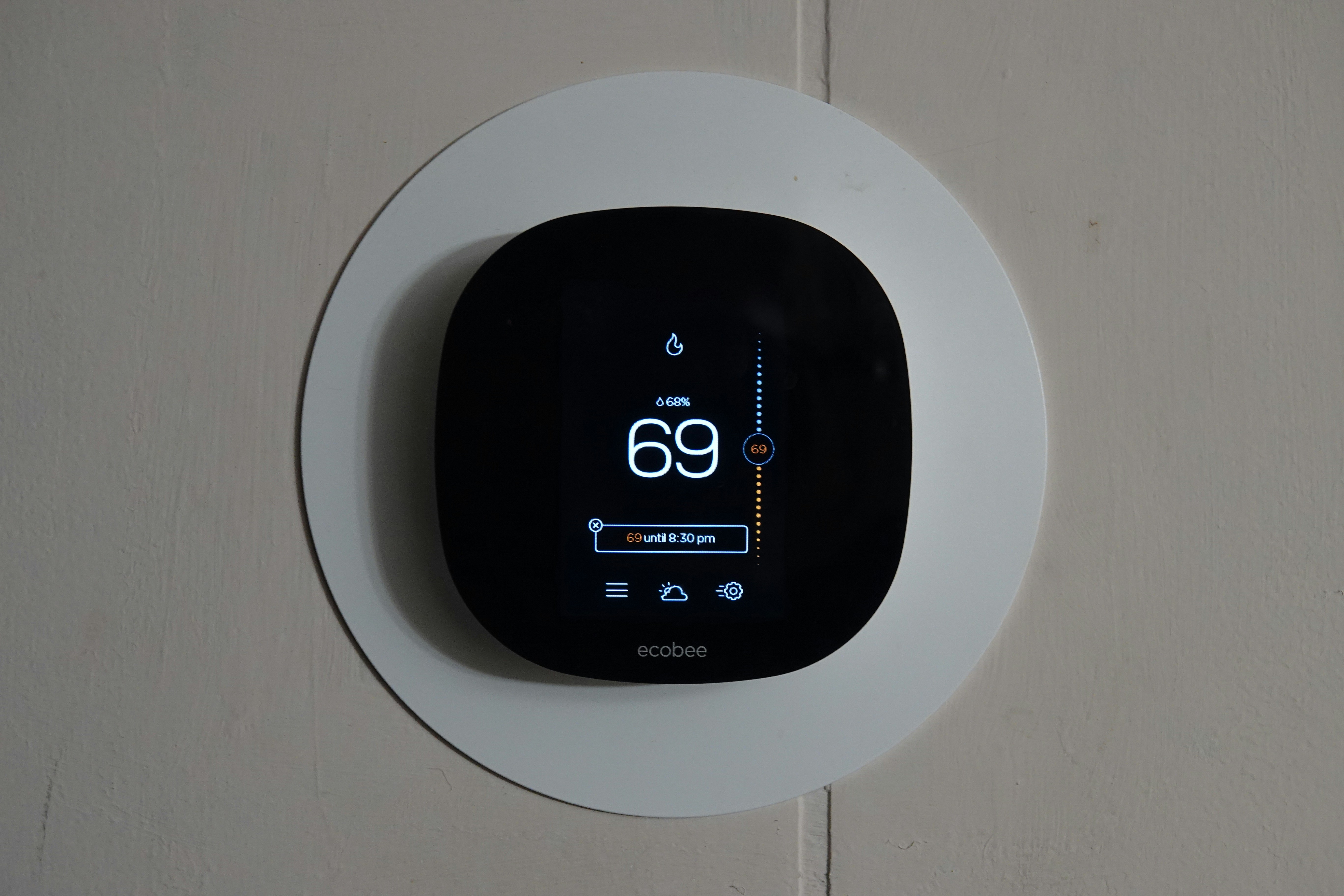
A Real-World Guide to Smart Thermostat Installation and Programming
Thinking about a smart thermostat? You’ve seen the promises of effortless comfort and lower energy bills. But then you start researching the installation, and suddenly you’re lost in a dozen browser tabs—a CNET guide here, a Reddit thread about mysterious wires there, and a brand-specific compatibility checker that leaves you with more questions than answers.
This isn't just you. The path from buying a smart thermostat to actually enjoying its benefits is often fragmented and confusing. Many homeowners get stuck on one critical question: "Can I do this myself without breaking my HVAC system?"
This guide is your single source of truth. We'll cut through the noise and give you the clear, practical framework you need. We’ll walk you through the entire process, from a simple pre-purchase compatibility check to the advanced programming that actually delivers on those savings promises.
Before You Buy: The 5-Minute Compatibility Check Anyone Can Do
Before you even add a Nest or Ecobee to your cart, let's answer the most important question: will it work with your system? The biggest hurdle for most installations is wiring, specifically the "C-wire" or "common wire," which provides continuous power to the thermostat.
You don't need to be an electrician to check this. Here's how:
- Turn off power to your HVAC system at the breaker panel. This is a critical safety step.
- Gently pull the faceplate off your current thermostat. It should unclip from the wall plate.
- Look at the wires connected to the terminals. Don't disconnect anything yet. Take a clear photo with your phone—this will be your roadmap.
You're looking for a wire connected to the terminal labeled "C." If you see one, your system is very likely compatible with almost any smart thermostat on the market.
Here are the most common wires you'll see:
- R, Rh, Rc: Power
- G: Fan
- Y, Y1, Y2: Cooling
- W, W1, W2: Heating
- C: Common wire for continuous power
If your wiring looks old, frayed, or you suspect underlying issues with your system, it might be time to consult a professional HVAC repair service before upgrading your thermostat.
DIY vs. Hiring a Pro: Making the Right Call for Your Home
Now that you've assessed your wiring, you face the next big decision. Competitor guides often gloss over this, but it’s crucial for avoiding a costly mistake.
Consider a DIY installation if:
- You see a C-wire and your wiring looks straightforward.
- You are comfortable turning off breakers and using basic tools like a screwdriver.
- Your HVAC is a standard, single-stage system (one level of heating and cooling).
Call a professional when:
- You don't have a C-wire. While some thermostats come with power extender kits (PEKs), installing them involves working inside your furnace or air handler. This is where most DIY installations go wrong.
- You have a complex system. This includes dual-fuel systems (heat pump with a gas furnace), multi-stage heating/cooling, or zoning systems. These require expert configuration to work correctly.
- Your wiring is old, unlabeled, or confusing. A pro can safely trace and identify wires to prevent damage.
- You want peace of mind. A professional installation is typically done in under an hour and comes with a guarantee. Our professional smart thermostat installation ensures your system is configured for optimal performance from day one, backed by our 5-year labor warranty.
The Universal Installation Steps (with Notes for Nest & Ecobee)
If you've decided to proceed with a DIY installation, follow these steps methodically.
Step 1: Power Down Your HVAC System
Go to your circuit breaker and switch off the power for your furnace and air conditioner. Confirm the power is off by trying to change the temperature on your old thermostat. Nothing should happen.
Step 2: Remove the Old Thermostat
With the power off, refer to the photo you took earlier and carefully disconnect the wires from their terminals. Label each wire with the provided stickers or a piece of tape.
[IMAGE 2: A smartphone screen showing a clear photo of the old thermostat wiring before disconnection. Caption: "This is the most important step. A quick photo can save you hours of troubleshooting."]
Step 3: Install the New Backplate
Unscrew the old wall plate. Feed the wires through the center of the new backplate, and use a level to mount it securely to the wall.
Step 4: Connect the Wires
This is where attention to detail pays off. Match the labeled wires to the corresponding terminals on the new backplate. Gently push the wire in and tighten the terminal screw or press the release tab.
- Brand Note (Google Nest): Nest terminals are push-in connectors. Make sure the copper wire is straight and fully inserted.
- Brand Note (Ecobee): Ecobee uses a more traditional layout. If you don't have a C-wire, you'll need to use their Power Extender Kit (PEK), which requires wiring changes at your furnace control board. This is a common point where we recommend calling a professional.
Step 5: Attach the Faceplate and Power On
Align the new thermostat faceplate with the backplate and click it into place. Now, go back to your breaker panel and restore power to your HVAC system.
Step 6: Connect to Wi-Fi and Complete Setup
The thermostat should power on and guide you through the on-screen setup, which includes connecting to your home's Wi-Fi network and answering questions about your HVAC system type.
From Setup to Savings: Unlocking Your Thermostat's "Smart" Features
Here’s a secret most guides won't tell you: the real savings from a smart thermostat don't come from just installing it. They come from using its advanced features correctly. Competitors focus on the install and stop there, but the post-installation optimization is where the value lies.
- Activate Geofencing: This feature uses your phone's location to automatically switch the system to an energy-saving "Away" mode when you leave and resume your comfort settings when you're heading home. It's far more efficient than a rigid schedule.
- Let It Learn (or Fine-Tune the Schedule): Allow "learning" thermostats a week or two to learn your patterns. After that, review the schedule it created and make small adjustments. The goal is to heat or cool your home just before you need it, not all day long.
- Use Energy Reports: Both Nest and Ecobee provide detailed reports showing how many hours your system ran. Use this data to identify patterns. Did your AC run for 8 hours on Tuesday? Maybe closing the blinds in the afternoon can help reduce that.
- Integrate with Your Utility Company: Many Bay Area utility providers offer rebates and demand-response programs that give you bill credits for letting your thermostat slightly adjust the temperature during peak energy demand.
A smart thermostat is just one part of an efficient home. To maximize savings, it needs to control a well-maintained system. Pairing your new thermostat with regular HVAC maintenance ensures your equipment runs at peak performance, so you aren't wasting the energy you're trying to save.
Frequently Asked Questions
What if I don't have a C-wire?
This is the most common installation problem. You have two options: use a power adapter kit (like the one included with Ecobee) or have a technician run a new wire. Installing an adapter requires working with the control board on your furnace, which we recommend leaving to a professional to avoid potential damage.
My thermostat won't power on. What did I do wrong?
First, double-check that the breaker is on. Second, ensure the C-wire (or R wire) is fully seated in its terminal. A common mistake is forgetting to close the furnace door after inspecting the control board, which can prevent the system from powering up due to a safety switch.
Can a smart thermostat really save me money?
Yes, but it depends on how you use it. According to ENERGY STAR, homes with programmable or smart thermostats can save significant amounts on their annual heating and cooling bills. The key is proper programming and using features like geofencing to avoid conditioning an empty house.
Is my old furnace/AC compatible?
Most modern HVAC systems are compatible. The main exceptions are very old high-voltage systems or proprietary communicating systems. If you have a multi-stage or variable-speed unit, professional installation is highly recommended to ensure all features are wired and configured correctly.
How long does a professional installation take?
For a standard system, a professional can typically complete the installation and setup in about 60-90 minutes.
Ready for a Perfect Installation?
A smart thermostat is a powerful upgrade, but its effectiveness hinges on correct installation and intelligent programming. Whether you're a confident DIYer or prefer the assurance of a professional touch, understanding the process is the first step toward a more comfortable and efficient home.
If you want to ensure your investment is set up perfectly for maximum savings and reliability, we're here to help. Contact Plum HVAC today for a seamless smart thermostat installation in the San Francisco Bay Area.
hear what our satisfied clients have to say

.svg)
Service areas
.avif)