

Smart Thermostat Repair in Santa Clara, CA
Smart Thermostat Repair in Santa Clara, CA provides expert diagnosis and timely fixes to restore reliable temperature control and seamless automation. The guide outlines common issues such as connectivity drops, sensor faults, display failures, wiring concerns, and integration problems, along with a structured diagnostic workflow from initial symptom verification to device-level and electrical checks. It explains practical repair approaches, typical timelines, and preventative maintenance tailored to Santa Clara’s climate, helping homes maintain comfort, energy efficiency, and dependable smart-home performance.
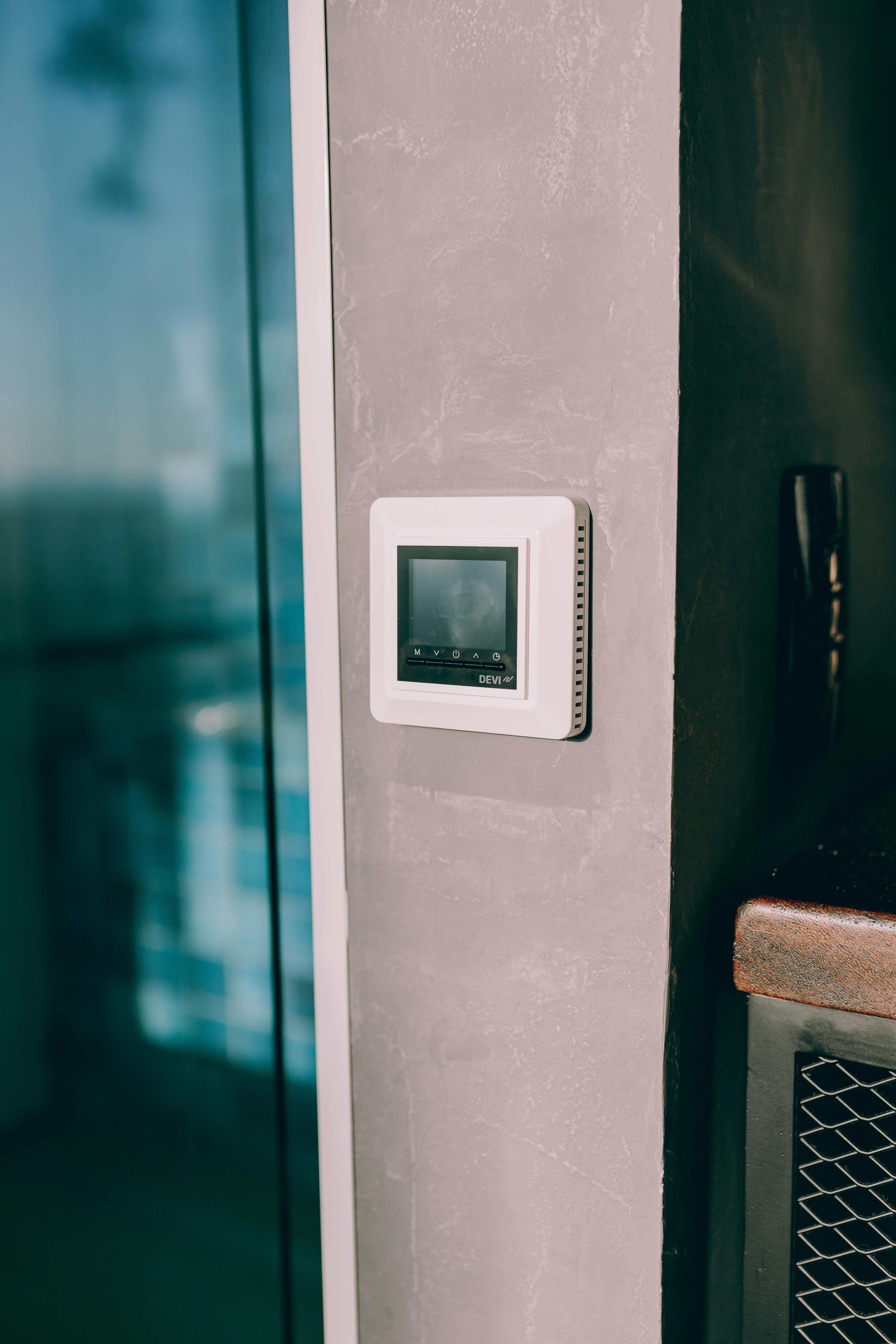
Smart Thermostat Repair in Santa Clara, CA
Keeping your smart thermostat functioning properly is essential in Santa Clara homes where summer cooling, energy efficiency, and smart-home integrations matter. Whether your thermostat lost Wi-Fi, the touchscreen stopped responding, or the unit won’t talk to your HVAC system, quick, accurate repair restores comfort and prevents wasted energy. This page explains common problems seen in Santa Clara, the diagnostic steps used to pinpoint root causes, typical repair timelines, and preventative maintenance advice tailored to local conditions.
Why timely smart thermostat repair matters in Santa Clara
Santa Clara residents tend to rely on connected thermostats to optimize cooling during warm months and reduce energy bills year-round. A malfunctioning thermostat can cause uneven temperatures, increased wear on HVAC equipment, and missed opportunities to take advantage of time-of-use energy rates. Also, many homes here integrate thermostats with voice assistants and home automation routines; unresolved issues can break whole-system automations and security routines.
Common smart thermostat issues in Santa Clara homes
- Connectivity problems: Wi-Fi drops, inability to reconnect after router updates, or weak signal in parts of the house.
- Sensor faults: Incorrect temperature readings, room-to-room disparities, or failure to switch between sensors.
- Display and touchscreen failures: Blank screen, frozen interface, or unresponsive touch controls.
- Wiring and compatibility issues: Missing C-wire, loose connections, or incorrect wiring after HVAC upgrades.
- Firmware and software problems: Failed updates, corrupted firmware, or misconfigured settings after a version change.
- Integration breakdowns: Lost links to HVAC equipment, smart-home platforms, or voice assistants after network changes.
- Intermittent operation: Thermostat cycles on and off unexpectedly, or schedules don’t run reliably.
Typical diagnostic steps
A systematic, non-destructive diagnostic approach isolates the issue quickly and minimizes homeowner disruption.
- Initial assessment and symptom verification
- Confirm observed behavior: when it starts, frequency, and any recent changes (router replacement, HVAC work, power events).
- Check for visible signs: battery level, error messages, indicator lights.
- Network and account checks
- Verify local Wi-Fi strength and router settings (SSID, password, network band).
- Check cloud service status and account authentication for linked smart-home platforms.
- Device-level troubleshooting
- Reboot and note behavior: soft reset vs full factory reset outcomes.
- Review firmware/software versions and rollback if a recent update correlates with failures.
- Electrical and wiring inspection
- Confirm presence and health of the C-wire or alternative power solutions.
- Test terminal connections for voltage and continuity without disturbing HVAC safety circuits.
- Sensor and HVAC integration tests
- Compare thermostat readings to a calibrated thermometer.
- Run manual HVAC cycles to ensure the thermostat is sending correct commands and the equipment responds.
- Component evaluation
- If touchscreen or display fails, determine if issue is internal (LCD/controller) or caused by power/wiring.
- Evaluate whether replacement parts or recalibration will resolve sensor or control problems.
Repair solutions explained
- Reestablishing connectivity: Adjust router settings, move the Wi-Fi access point, or add a dedicated smart-home network. When needed, configure static IPs or update network certificates that some thermostats require.
- Sensor repair or recalibration: Replace faulty sensors or recalibrate temperature offset to match a verified reading. For multi-sensor setups, resync sensors and test zone behavior.
- Touchscreen and display repair: Replace the display module or internal controller board when software resets don’t restore functionality. Calibration and gasket reseating are used when physical issues cause poor touch response.
- Wiring corrections and C-wire solutions: Secure loose terminals, install an adapter or add a proper C-wire where the HVAC system lacks one, and verify voltage stability.
- Firmware/Software remediation: Install stable firmware, restore configuration from backups, or re-register the device with cloud services. Address authentication issues with smart-home accounts.
- Restoring integrations: Re-link thermostat to HVAC equipment and to smart-home ecosystems. Confirm voice assistant skills and automation routines function after reconnection.
Typical repair timelines
- Simple network fixes, firmware rollbacks, or software restores: often completed within 30 to 90 minutes.
- Wiring checks and adding a C-wire adapter or module: 1 to 3 hours depending on attic access and system complexity.
- Touchscreen or internal component replacement: 1 to 4 hours depending on part availability and model.
- Complex sensor diagnostics or multi-zone integration repairs: may require multiple visits for testing and calibration, typically resolved within a few days.
Repair time can vary based on device model, access to replacement parts, and whether HVAC equipment needs simultaneous servicing.
How repairs protect HVAC performance and energy use
Prompt repair of a smart thermostat prevents inefficient operation that increases wear on compressors and blowers. Accurate temperature control maintains comfort and enables reliable scheduling and remote management. Restoring integrations preserves energy-saving features like geofencing, demand-response events, and time-of-use scheduling—important for Santa Clara homeowners looking to reduce utility expenses during peak summer demand.
Preventative maintenance and local tips for Santa Clara
- Schedule seasonal checks: Inspect thermostat and HVAC communication before peak cooling season and after any power outages commonly experienced during grid maintenance.
- Protect against power events: Use surge protection for smart devices, especially in areas where grid work or electrical upgrades occur.
- Optimize Wi-Fi placement: Place your router or a mesh node near the HVAC control area when feasible to improve signal reliability for connected thermostats.
- Keep firmware current—but cautious: Allow a short delay after major firmware releases to ensure stability; maintain device backups when possible.
- Coordinate HVAC and thermostat servicing: When having HVAC maintenance, have the technician verify thermostat wiring and signals to avoid post-service compatibility issues.
- Monitor integrations after network changes: If you change ISPs, update router settings, or add network equipment, proactively check thermostat connectivity and automations.
What to expect after repair
A properly repaired smart thermostat should restore reliable connectivity, accurate temperature control, and seamless integration with your HVAC system and smart-home platforms. Expect re-synced schedules, restored remote access, and normalization of energy-saving features that help manage comfort and utility costs in Santa Clara’s climate.
Keeping smart thermostat issues addressed quickly protects both comfort and equipment longevity. The diagnostic steps and repair approaches above reflect typical scenarios for Smart Thermostat Repair in Santa Clara, CA, and are designed to get your system back to predictable, efficient operation.
hear what our satisfied clients have to say

.svg)
Service areas
.avif)