

Smart Thermostat Repair in Milpitas, CA
Smart thermostat repair in Milpitas, CA delivers targeted diagnostics, reliable fixes, and clear guidance on whether repair or replacement is best. Technicians identify connectivity problems, firmware glitches, sensor drift, and power wiring faults, then safely restore reliable connectivity, accurate sensing, and balanced control. With onsite testing, remote checks, and transparent turnaround estimates, residents learn expected timelines and options. Timely repairs preserve smart features, optimize energy use, and extend equipment life while minimizing disruption to comfort.
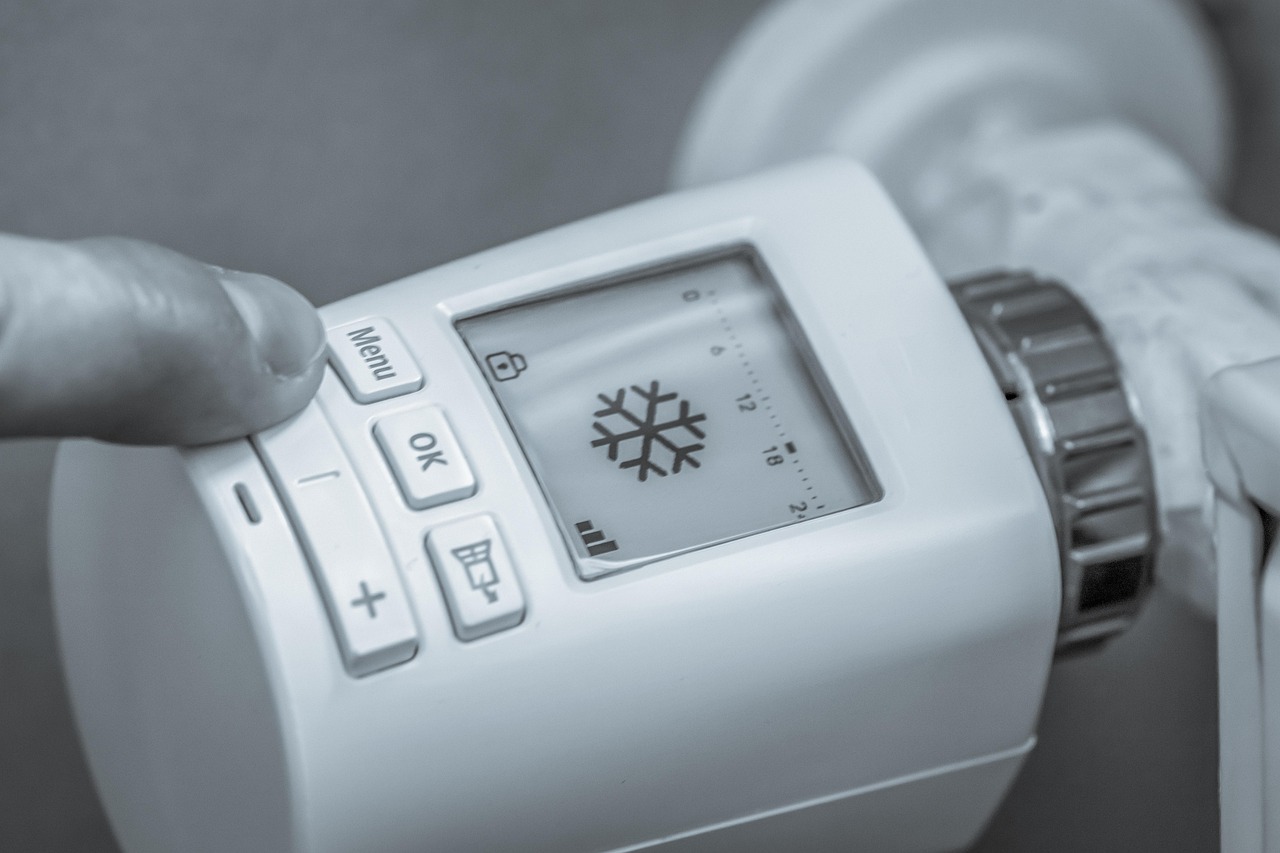
Smart Thermostat Repair in Milpitas, CA
Smart thermostats are a common part of modern Milpitas homes, offering energy savings, remote control, and integration with home automation. When a thermostat stops connecting, reports incorrect temperatures, or fails to update, it can disrupt comfort and drive up energy bills. This page explains common smart thermostat problems in Milpitas, CA, how professionals diagnose and repair them, typical turnaround times, and clear guidance on when repair is a better choice than replacement.
Why smart thermostat reliability matters in Milpitas
Milpitas sits in the South Bay where daytime temperatures can vary seasonally and occasional heat events or humid marine layers affect HVAC load. Local homeowners often rely on smart thermostats to manage cooling and heating schedules efficiently, avoid peak utility rates, and integrate with other smart devices common in Silicon Valley households. Connectivity issues, firmware mismatches, and sensor errors are particularly disruptive in this environment because remote control and scheduling are core to realizing energy savings.
Common smart thermostat issues in Milpitas homes
- Connectivity and Wi-Fi issues: Thermostats that drop off the network, cannot reach cloud services, or fail to respond to app commands. Wi-Fi congestion, weak signals, router settings, or ISP interruptions are frequent causes.
- Sensor and calibration problems: Incorrect indoor temperature readings, short-cycling HVAC systems, or uneven comfort across rooms. Sensors can drift with age, or placement and wiring can cause inaccurate readings.
- Software and firmware glitches: Devices that freeze, lose schedules, or show unusual behavior after an update. Firmware conflicts and incomplete updates can stop expected functions.
- Power and wiring faults: Thermostats that power down, show intermittent power, or cause HVAC relays to chatter. Missing common (C) wire, degraded power from aging transformers, and loose screw terminals are typical culprits.
- Hardware failure: Broken displays, failed relays, or damaged circuit boards from heat, moisture, or electrical surges.
- Compatibility and integration issues: Problems when a thermostat does not interface properly with legacy HVAC equipment, zoning systems, or home automation platforms.
Diagnostic procedures technicians use
A methodical diagnostic approach pinpoints the root cause quickly and avoids unnecessary replacements.
- Remote app and cloud check: Confirm whether the thermostat is reachable via its mobile or web app and whether the manufacturer’s cloud services report errors.
- Onsite network assessment: Measure Wi-Fi signal strength at the thermostat location, check router and mesh settings, analyze interference and channel congestion, and confirm DHCP and firewall settings that can block device traffic.
- Power and wiring inspection: Verify presence of the common C wire voltage, test transformer output, inspect terminal connections for corrosion or looseness, and check for 24 VAC stability under load.
- Sensor and calibration validation: Compare thermostat temperature readings to calibrated instruments, inspect for drafts or localized heat sources, and run system cycles to observe response.
- Firmware and software audit: Verify current firmware version, check for known manufacturer issues, and attempt controlled updates with rollback options if necessary.
- Hardware testing: Swap known-good modules or test relays and displays when hardware failure is suspected.
Diagnostics usually include documented findings and recommended options for repair or replacement.
Typical repairs and solutions
- Wi-Fi and connectivity fixes: Reconfigure router/mesh settings, switch thermostat connection to 2.4 GHz when appropriate, assign a static IP or reserve DHCP, and recommend Wi-Fi range extenders or relocating the router to improve signal.
- Power corrections: Add or repair the C wire, install an add-on power kit where compatible, or repair/replace an aging HVAC transformer to stabilize power.
- Sensor recalibration and relocation: Recalibrate internal sensors, relocate the thermostat away from sunlight or heat sources, or add external sensors for multi-room accuracy.
- Firmware updates and reimaging: Safely update firmware, perform a factory reset and reimage the device when updates fail, and verify restoration of schedules and settings.
- Hardware replacement options: Replace damaged displays, relays, or whole thermostat modules with compatible OEM parts or recommend a compatible modern unit when repair is not cost-effective.
- Compatibility adjustments: Reconfigure wiring for heat pump, multi-stage systems, or interface relays for older equipment to ensure safe, reliable operation.
When to repair vs when to replace
- Repair is often the best choice when issues are limited to connectivity, firmware, wiring, or individual hardware components. Repairs preserve schedules, integrations, and can be more cost-effective for recent models.
- Replacement becomes advisable when multiple hardware components fail, the device is out of manufacturer update support, or the thermostat is incompatible with upgraded HVAC equipment or zoning controls. If the unit is older than 7 to 10 years and showing repeated failures, replacement tends to provide longer-term reliability and new features that improve energy management.
Turnaround times and expectations
- Remote troubleshooting: Many connectivity and firmware issues can be diagnosed and resolved remotely within a few hours if the device remains reachable.
- Onsite diagnostic visit: Expect a typical diagnostic visit to take 45 to 90 minutes depending on system complexity, with findings and repair options provided at the visit.
- Common repairs: Simple fixes like wiring correction, power kit installation, or sensor recalibration are often completed the same day during the visit.
- Parts replacement: If OEM parts or a replacement thermostat is required, turnaround depends on part availability. Local stock often allows same- or next-day completion; special-order items may take several days.
- Technicians document the issue, actions taken, and any follow-up required so homeowners in Milpitas know exactly what was done and why.
Benefits of timely repair and maintenance
Prompt smart thermostat repair restores comfort, prevents unnecessary HVAC wear from short-cycling, and preserves energy savings from optimized schedules. In Milpitas, where energy management and remote access are commonly used to avoid peak utility stress and maintain comfort during heat events, a functioning smart thermostat also provides peace of mind. Regular checks after significant firmware updates, home network changes, or HVAC work can prevent recurring problems.
Practical tips for Milpitas homeowners
- After any router or ISP change, verify thermostat connectivity and update app settings.
- Avoid placing thermostats on walls that receive direct afternoon sun in hotter months.
- Keep firmware current but allow for scheduled backups or notes of settings before major updates.
- If you experience intermittent outages during local utility interruptions, check thermostat power stability and consider a dedicated transformer or UPS for critical control equipment.
Smart thermostat repair in Milpitas, CA focuses on restoring reliable connectivity, accurate sensing, and safe control of your HVAC system with transparent diagnostics, realistic turnaround times, and clear guidance on repair versus replacement. Properly handled, repairs preserve the smart features you rely on while improving comfort and efficiency in your home.
hear what our satisfied clients have to say

.svg)
Service areas
.avif)